The governance layer for Git

Secure it to the root, scale with confidence.

Your Git provider stores the code. gitroots controls who can touch which branch, which environment, and when — so every developer gets exactly the access their work needs, and nothing more.

No card needed · Works alongside GitHub · Your code never leaves your provider
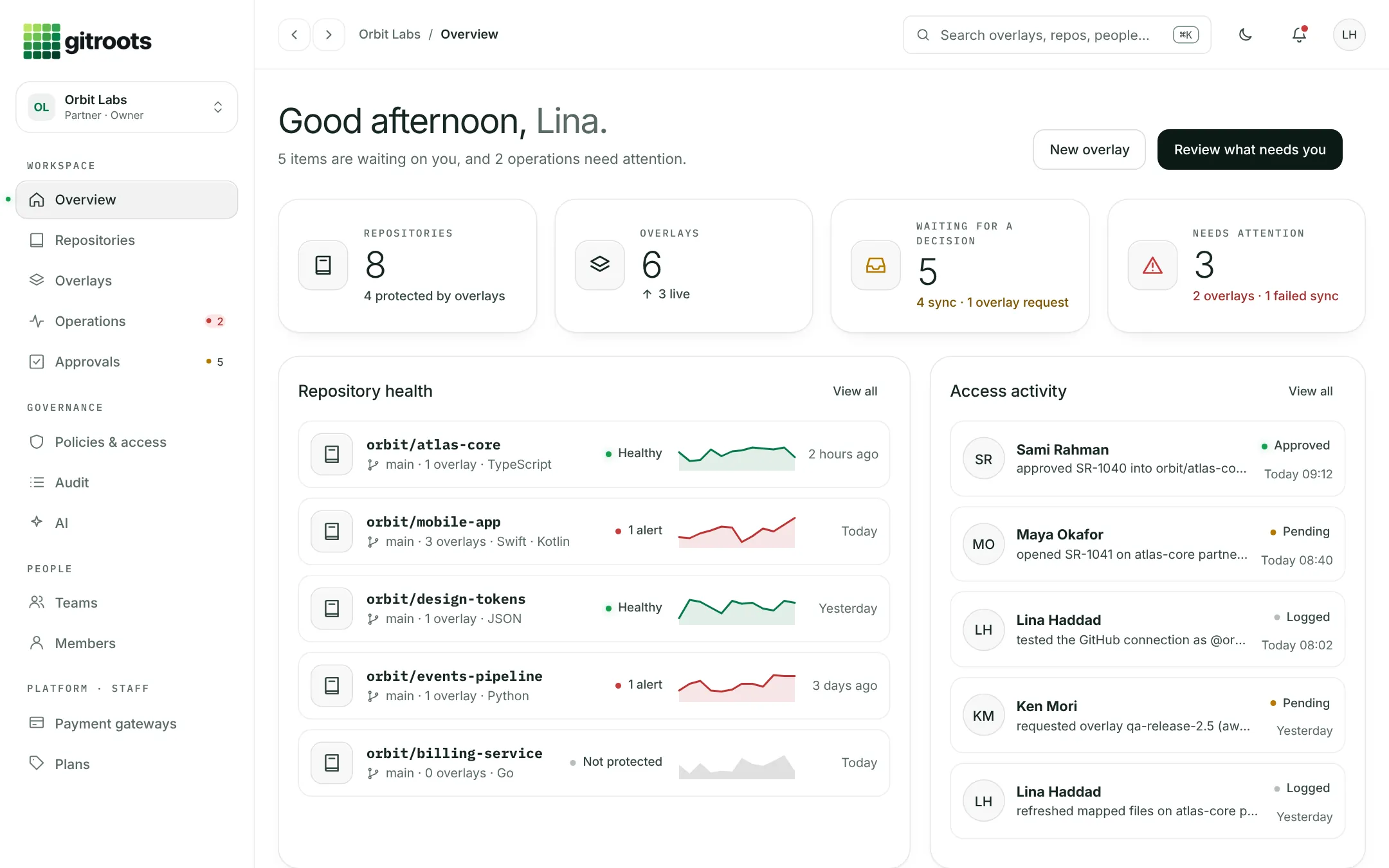
gitroots · Overview Orbit Labs / Overview
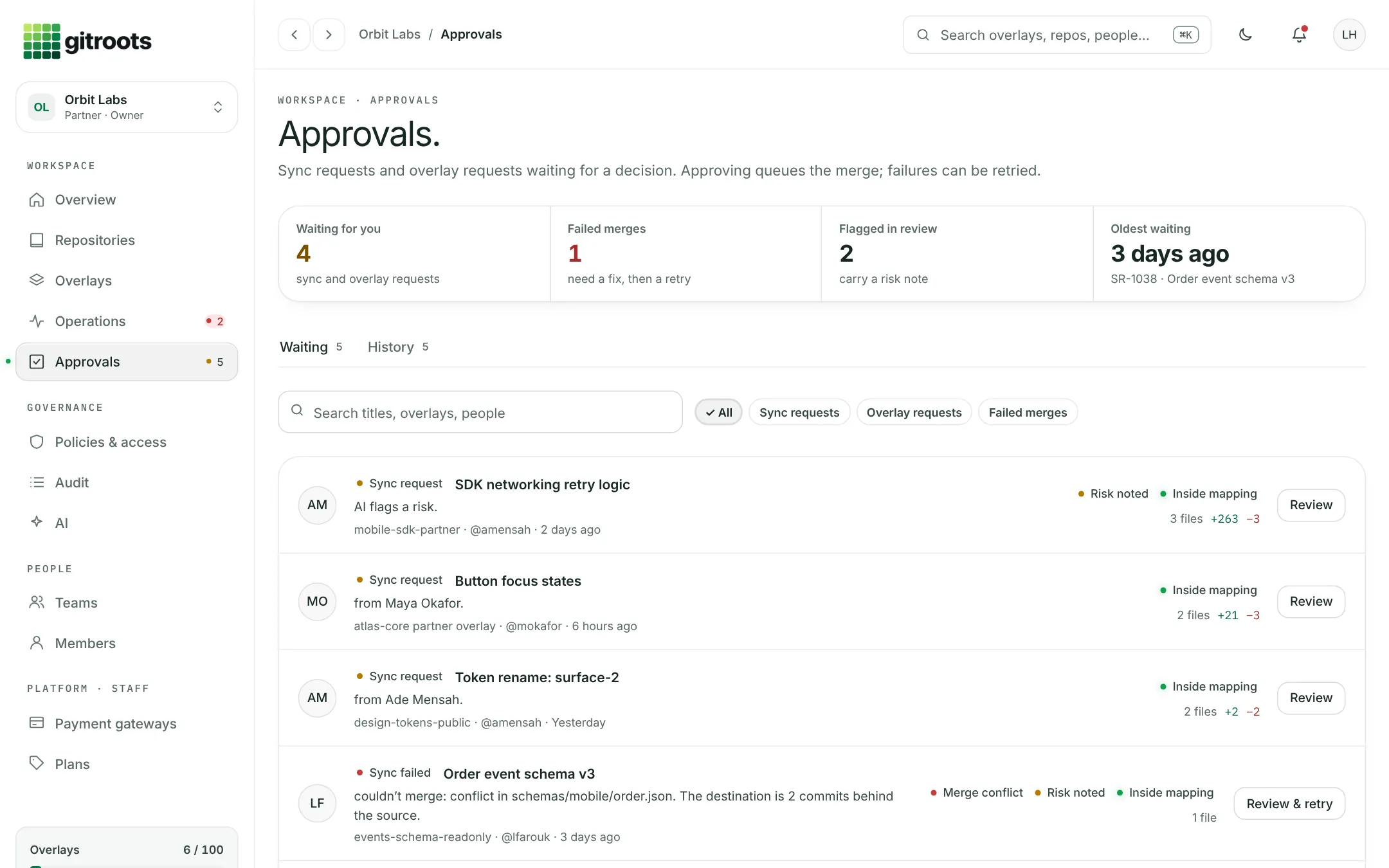
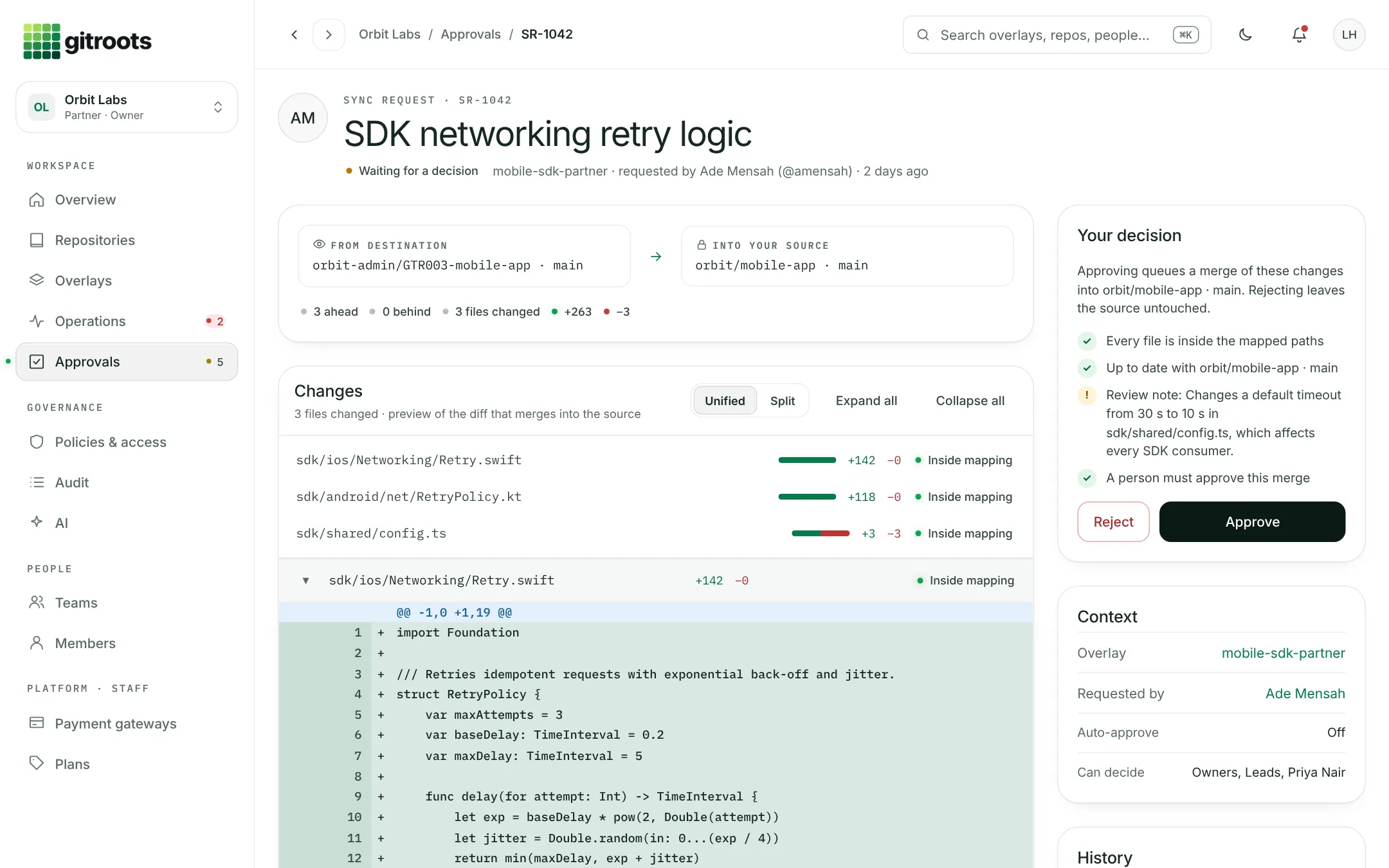
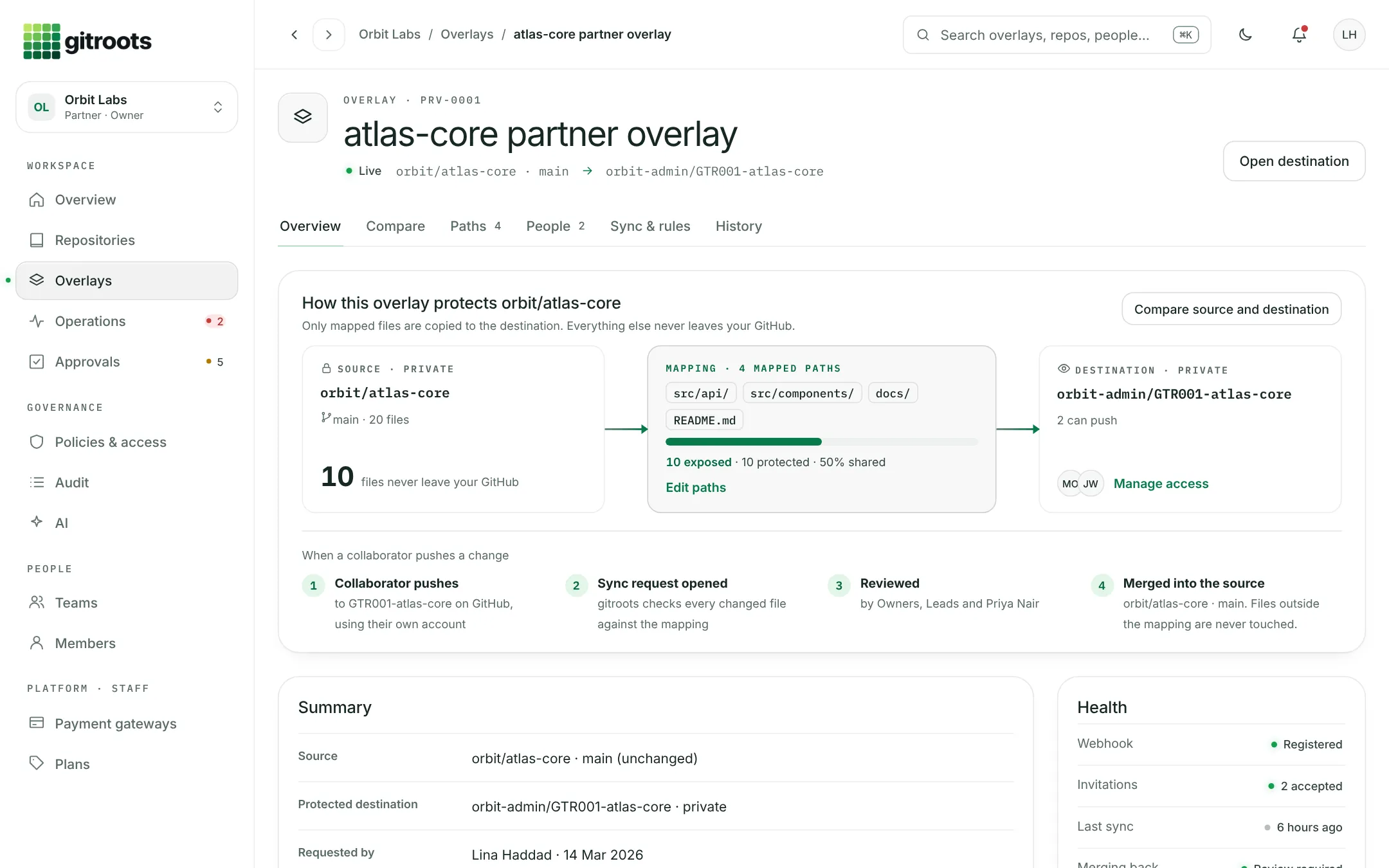
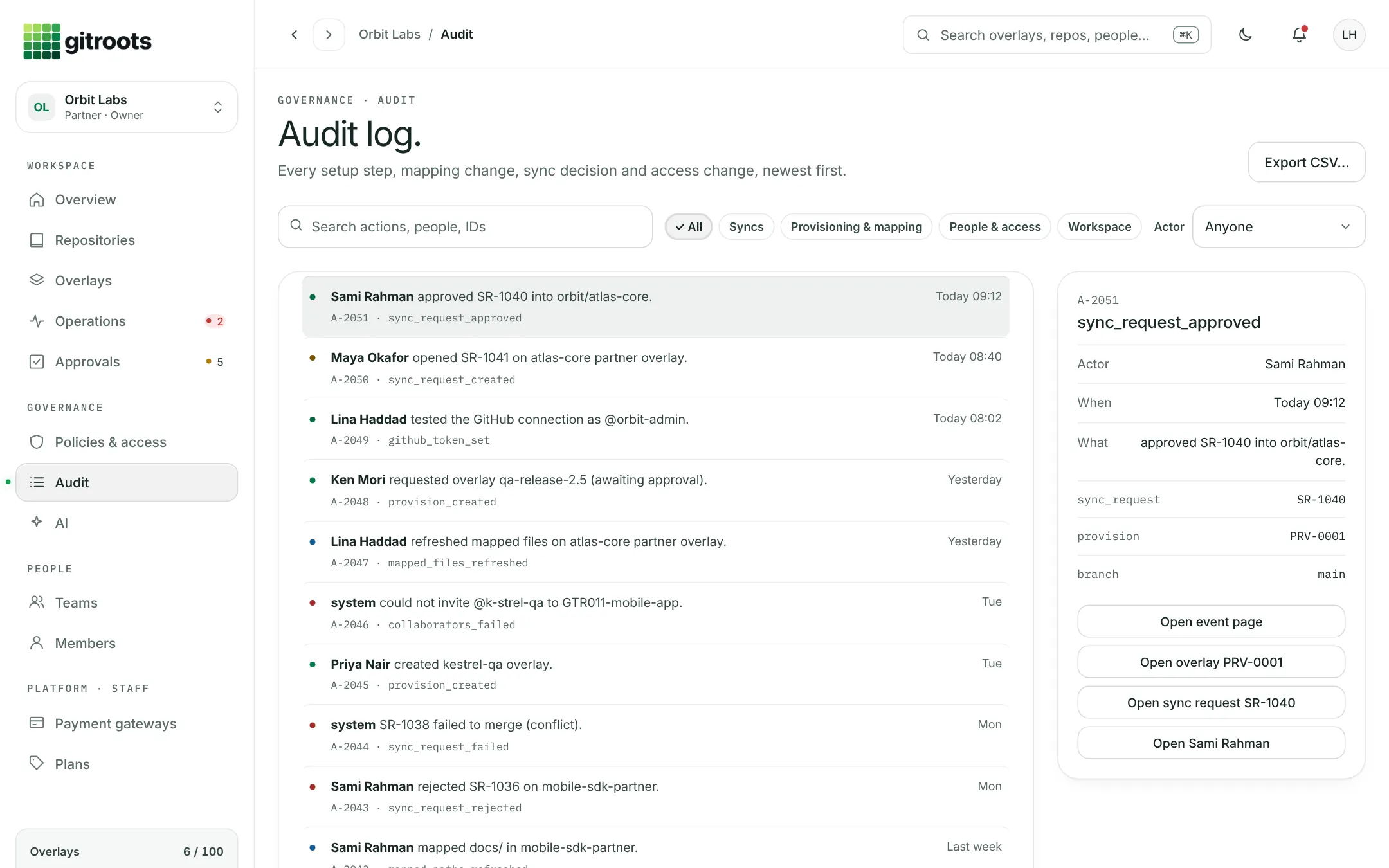
gitroots overview dashboard with repository health and access activity gitroots approvals inbox with sync requests waiting for a decision gitroots sync request review with diff and decision panel gitroots overlay detail showing mapped paths to a protected destination gitroots audit log with event details
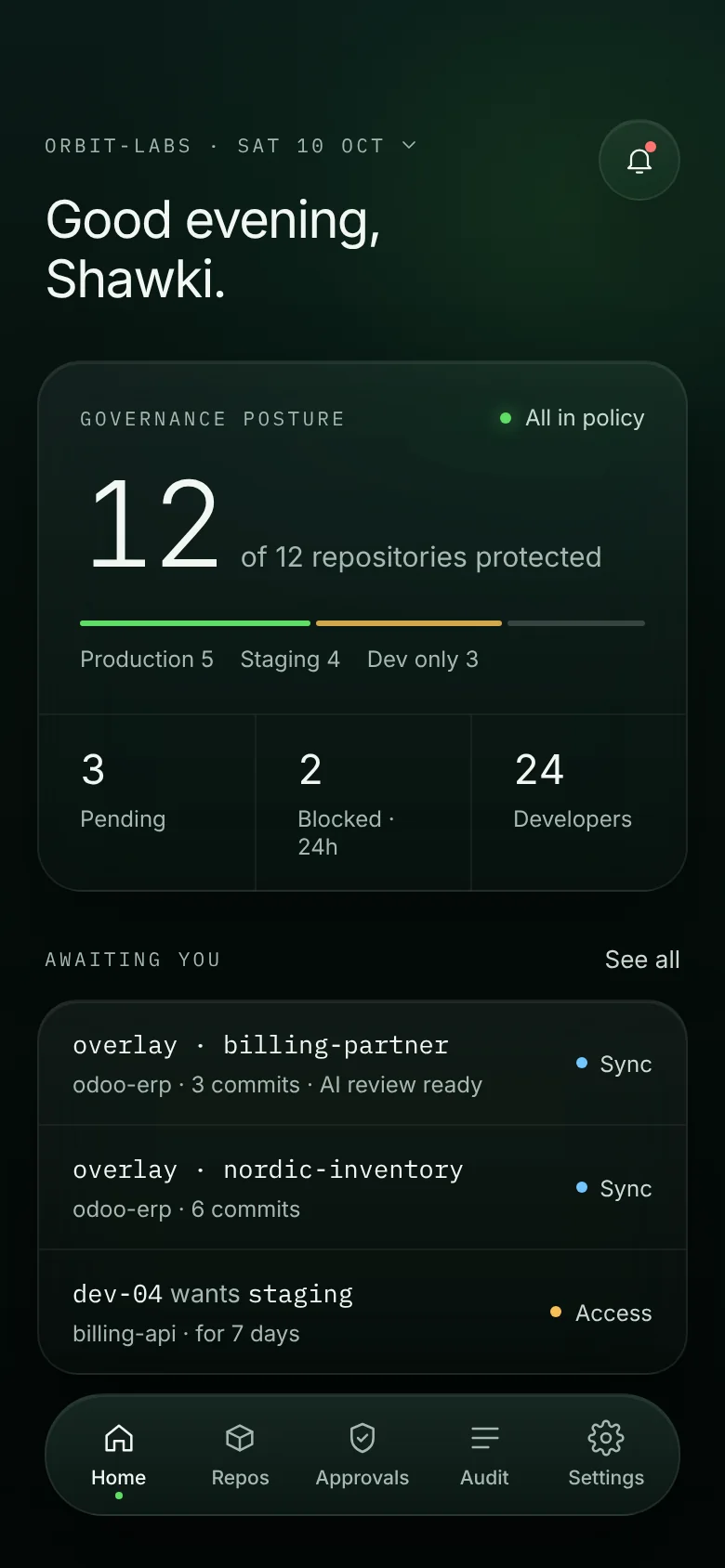
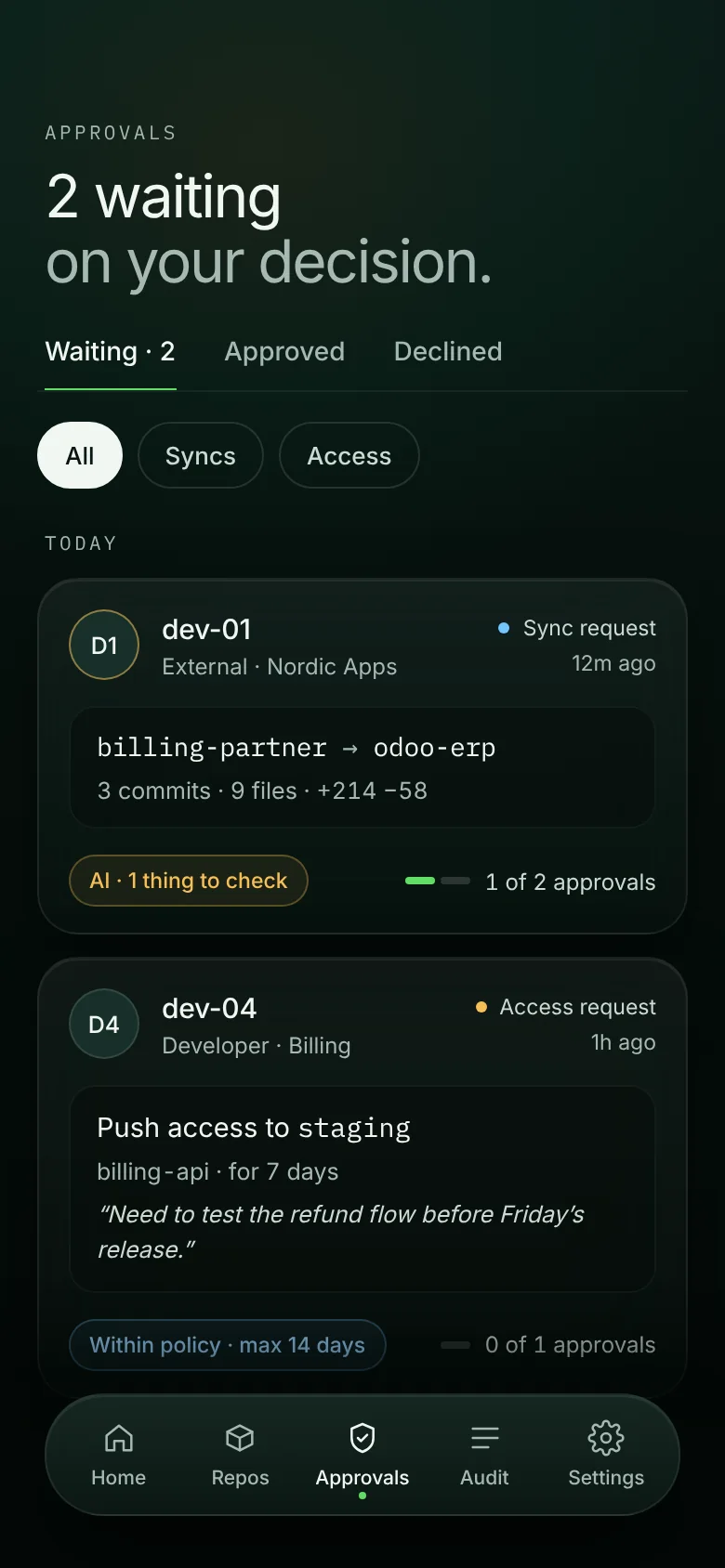
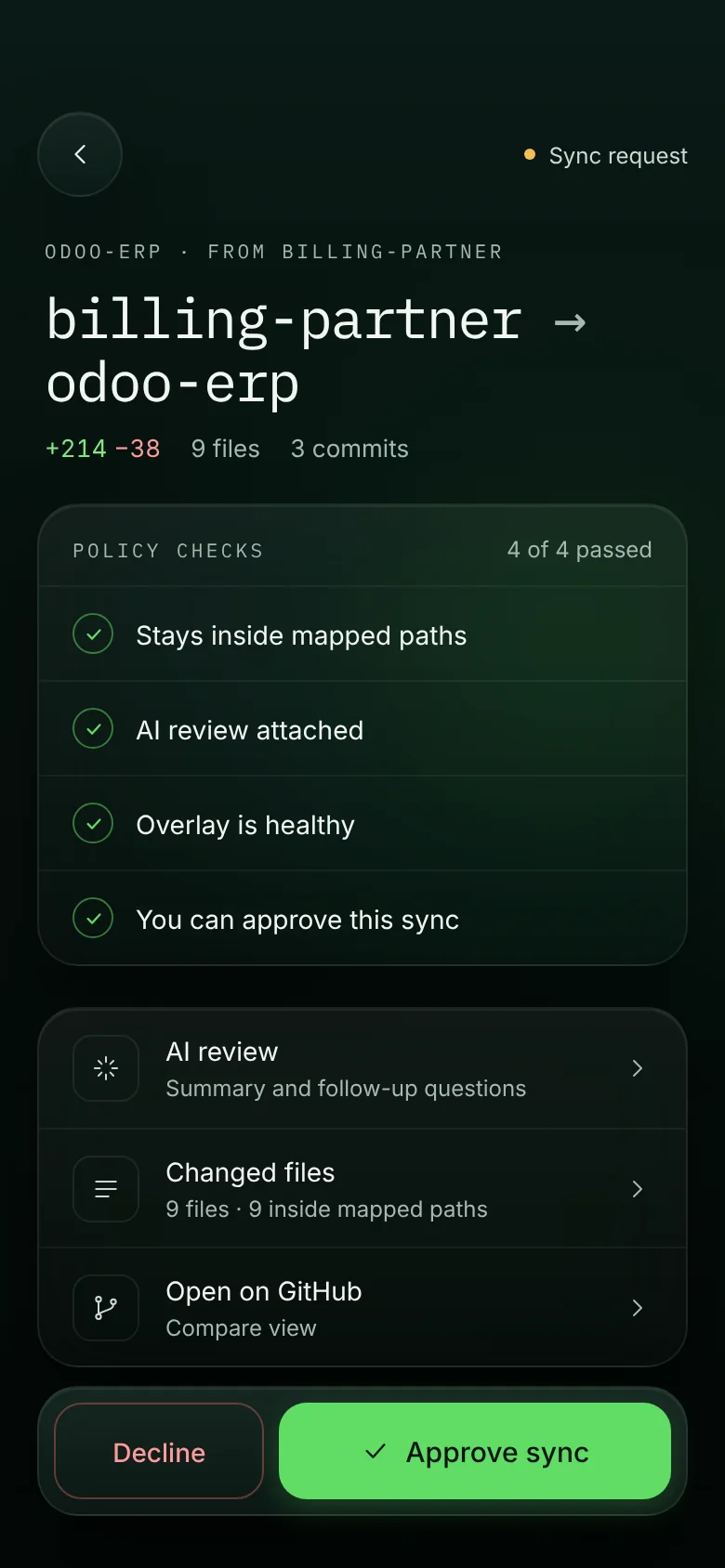
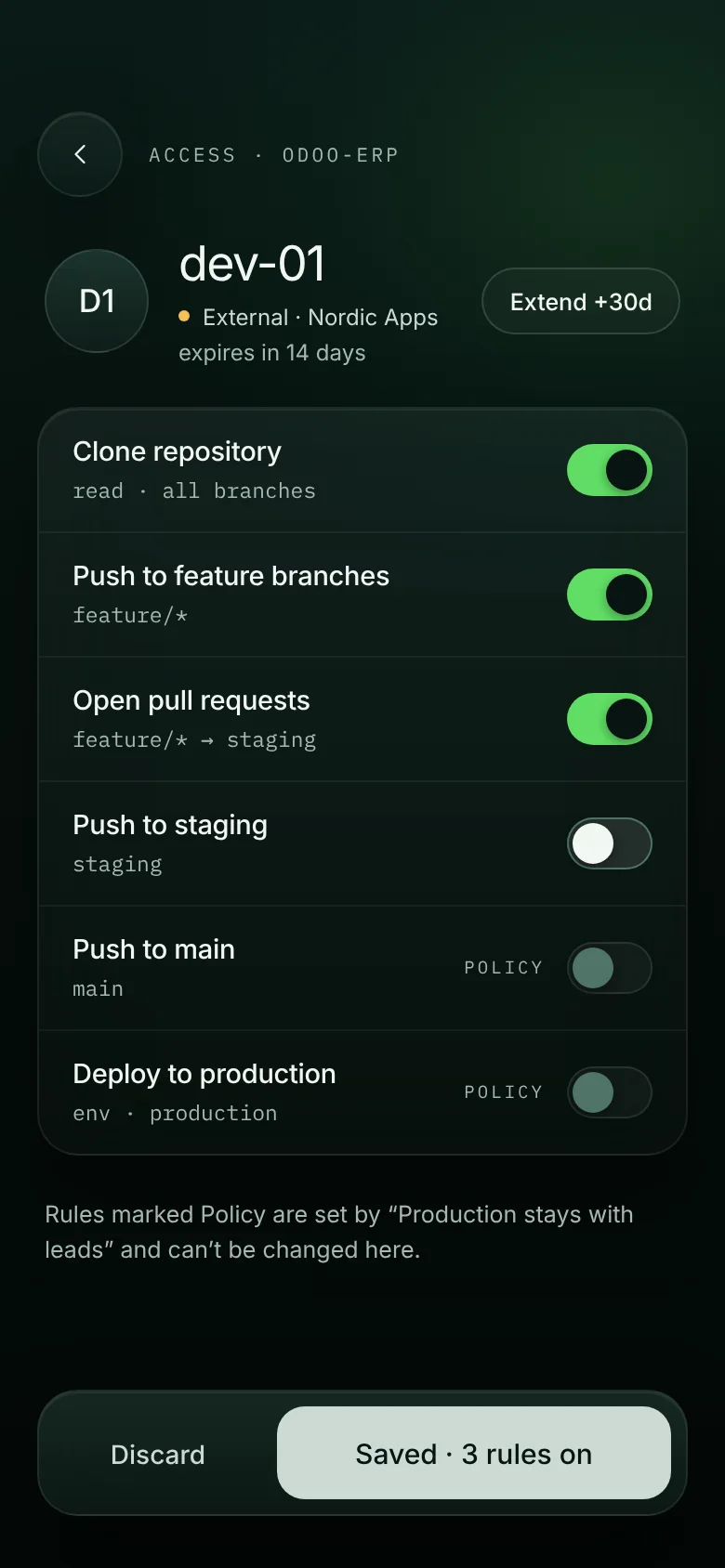
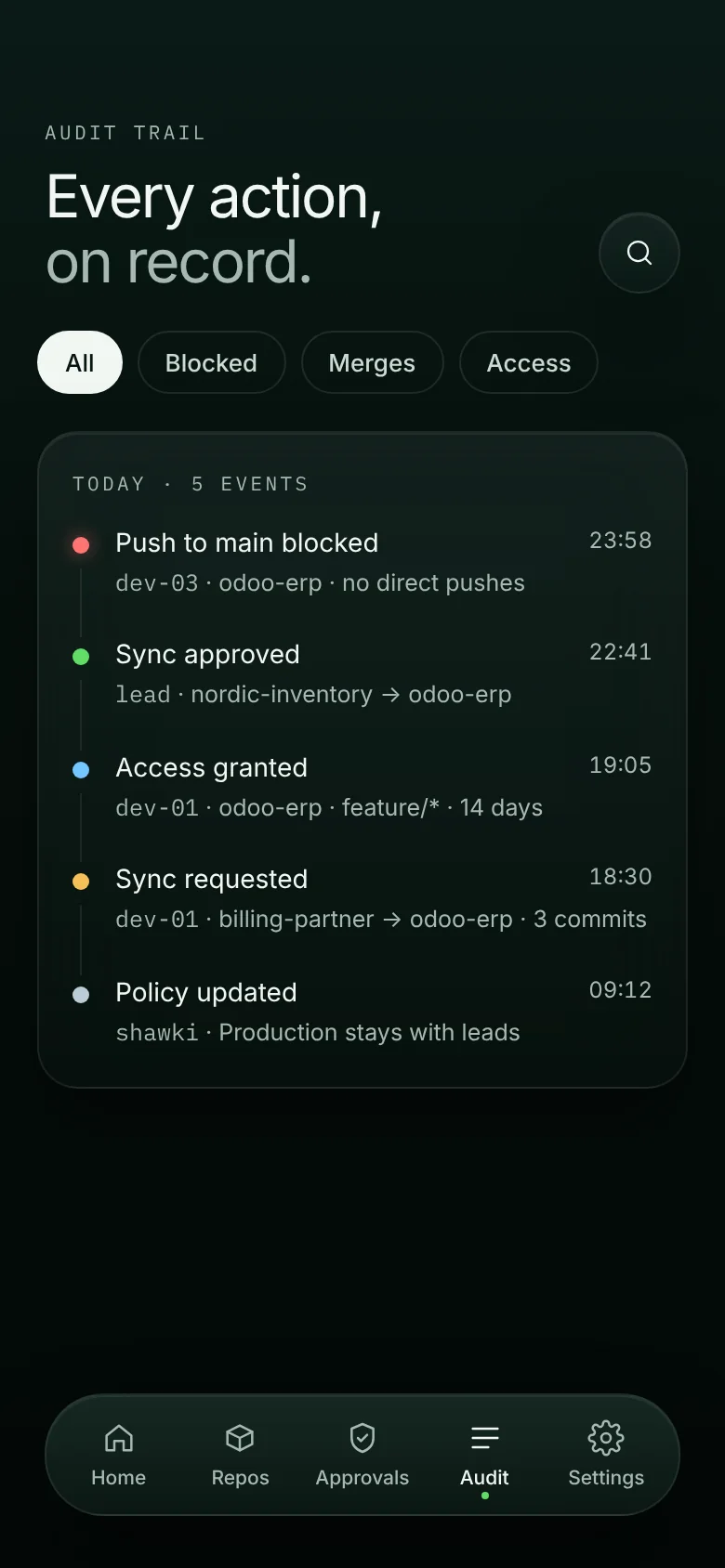
gitroots app home with governance posture gitroots app approvals list gitroots app sync request review gitroots app developer access rules gitroots app audit trail

Real screens from the gitroots platform and mobile app · sample workspace

Trusted by teams at
Digital Harbor rackdesign.ai Saqqar cryptorader.io
Built for
Odoo partnersERP implementersSoftware agenciesTeams with contractorsOutsourcing companiesRegulated organizationsEnterprise development teams
The permission gap

Repository access is blunt. gitroots makes it precise.

Invite a contractor to fix one feature and a standard write role lets them reach almost everything else in the repository. gitroots narrows access to the work you actually assigned.

D1
dev-01 · Contractor Assigned to feature/inventory
What dev-01 can doTypical write roleWrite roleWith gitroots
Push to feature/inventoryAllowedAllowed
Open a pull requestAllowedAllowed
Push to stagingAllowedBlocked
Push to mainDepends on settingsDependsBlocked
Touch productionDepends on settingsDependsBlocked
Modify unrelated branchesAllowedBlocked
Bypass reviewDepends on settingsDependsBlocked
Rules follow your organization — not the limits of one provider's permission model.
How it works

Connect. Define. Enforce.

A governance layer above your existing Git workflow. Developers keep cloning, branching and opening pull requests the way they always have.

gitroots overview: repository health for each connected repository
01 · Connect

Connect your provider

Link your repositories. gitroots discovers branches and the people who work on them and shows the health of each one. The code stays with your provider.

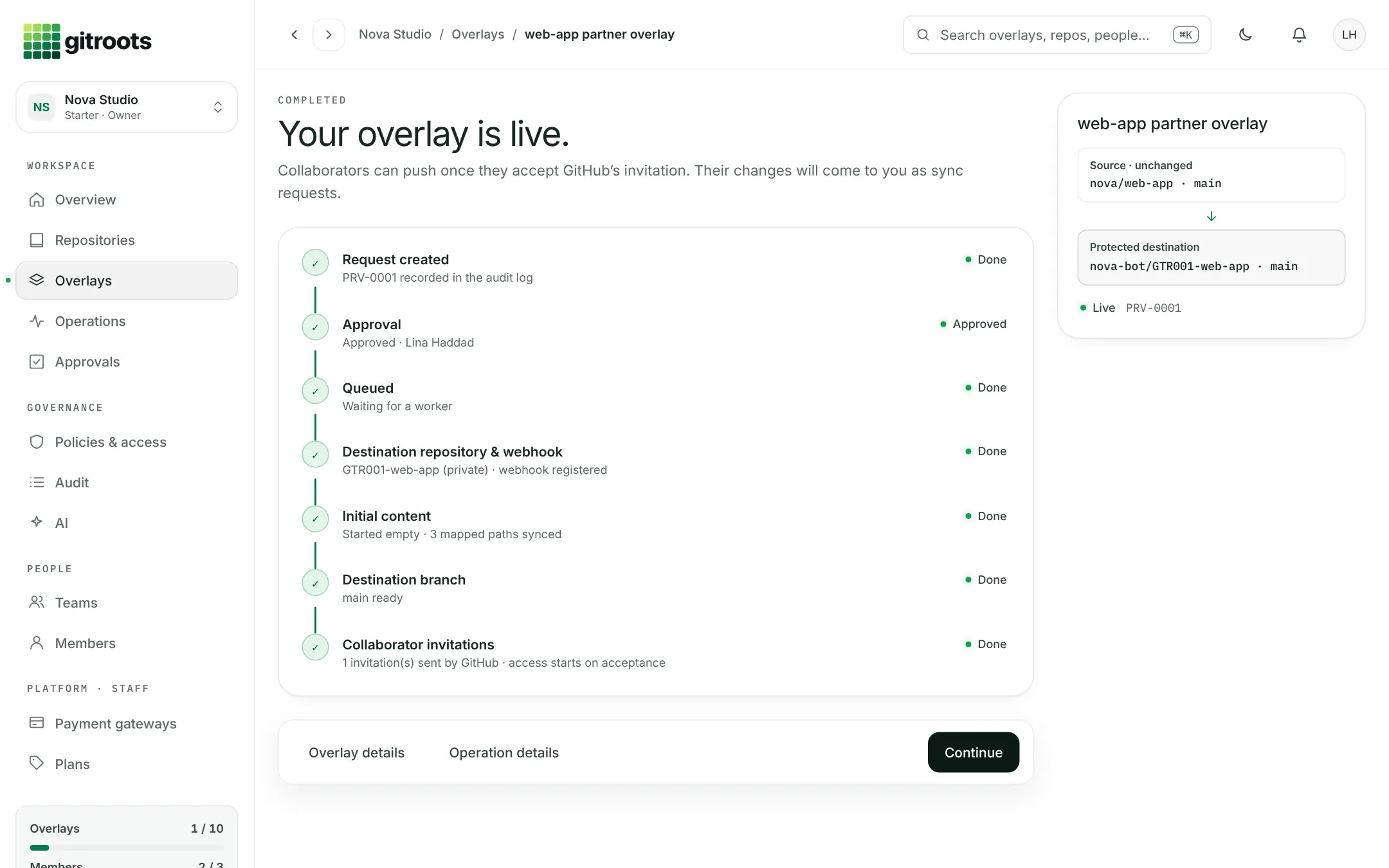
gitroots overlay detail: mapped paths from source to a protected destination
02 · Define

Define what each person can reach

Protected overlays map only the paths a collaborator needs. Grant by person, team, branch or environment — everything else never leaves your GitHub.

gitroots sync request review: changed files and the approval decision
03 · Enforce

Review and enforce every change

Changes come back as sync requests with policy checks and an AI review. Owners approve or reject, and every decision lands in the audit log.

Mobile app

Every approval. In your pocket.

Review releases, answer access requests and see blocked pushes the moment they happen. The gitroots app keeps governance moving when you're away from your desk.

gitroots app: approvals waiting on your decision
ApprovalsSync and access requests, with AI review
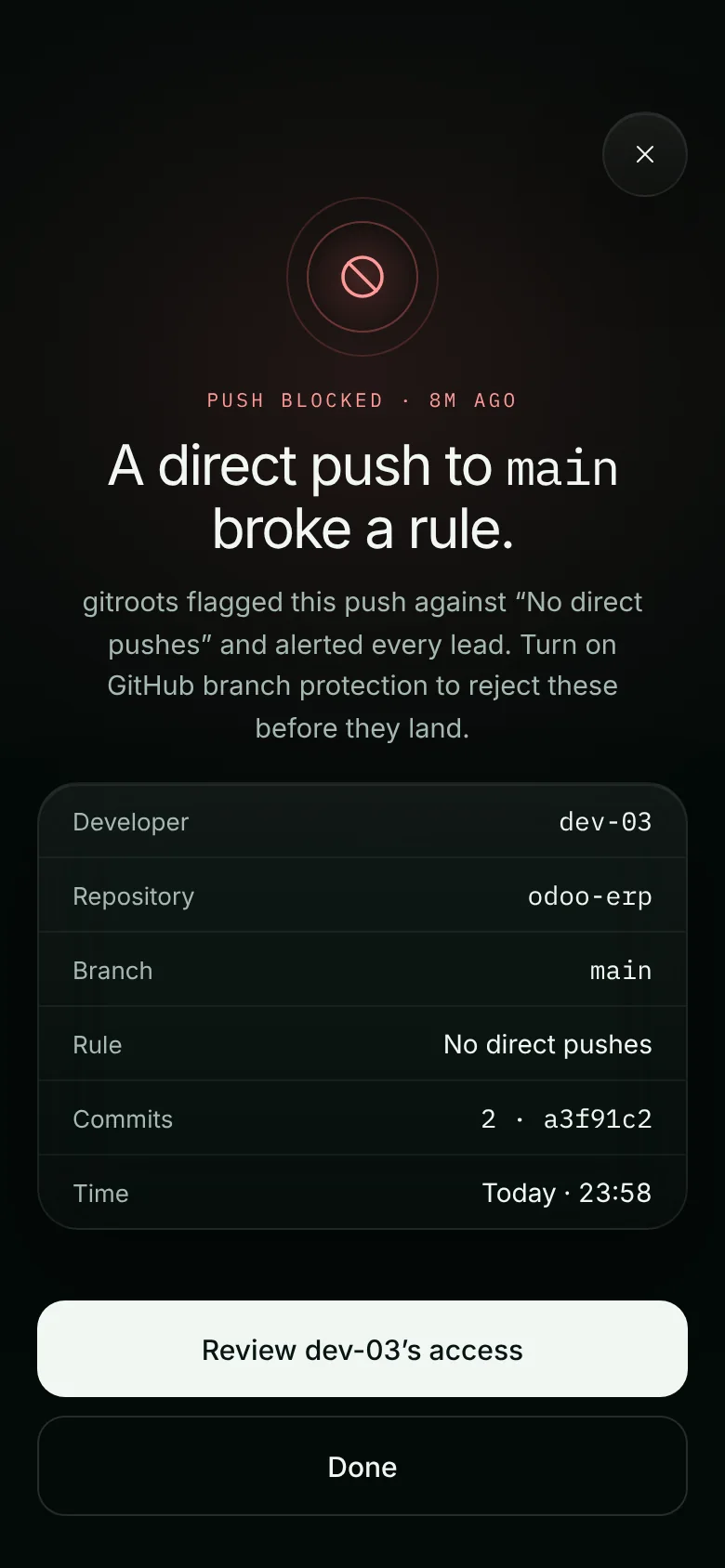
gitroots app: blocked push alert for a direct push to main
Blocked-push alertsKnow the moment a rule is tested
gitroots app: sync request review with policy checks
One-tap reviewPolicy checks before you approve
Download on the App Store Get it on Google Play

iOS and Android · same workspace, same rules

Enforcement

Stopped at the gate, not after the damage.

Pick a developer and watch the same push get decided. Out-of-scope actions are rejected with a clear reason and recorded.

Developers · odoo-erp
Branch / environmentRule for dev-01Detail
feature/* Push Assigned feature work
staging No access Outside assigned scope
main Pull request only Direct pushes rejected
production No access Protected environment
~/odoo-erp $ git push origin main
→ gitroots · checking policy for dev-01
✕ REJECTED main is protected. dev-01 may push to feature/* only — open a pull request instead.
~/odoo-erp $
Audit

Every decision, on record.

Setup steps, mapping changes, sync decisions and access changes — searchable, filterable and exportable, with the actor, repository and time on every event.

Filter by syncs, provisioning, people or workspace
Open any event to see who, what and where
Export to CSV for your auditors
gitroots · Audit log
gitroots audit log with event details
Why gitroots

Least privilege for software development. Without slowing anyone down.

Production stays protected

Clear rules for how code moves from development to staging to production, and who is allowed to move it.

Safer contractors

External developers contribute to the work they were hired for, without reaching protected or unrelated code.

Branch-precise access

Grant by role, project, branch or environment — not by handing out whole repositories.

Lower operational risk

Accidental and unauthorized changes are stopped before they reach sensitive branches or environments.

Provider-independent

One access model for your organization, instead of rebuilding controls around each provider's permission scheme.

AI-assisted review

Sync requests arrive with an AI summary and flagged risks, so reviewers know what to look at first.

Get started

From sign-up to your first protected repository.

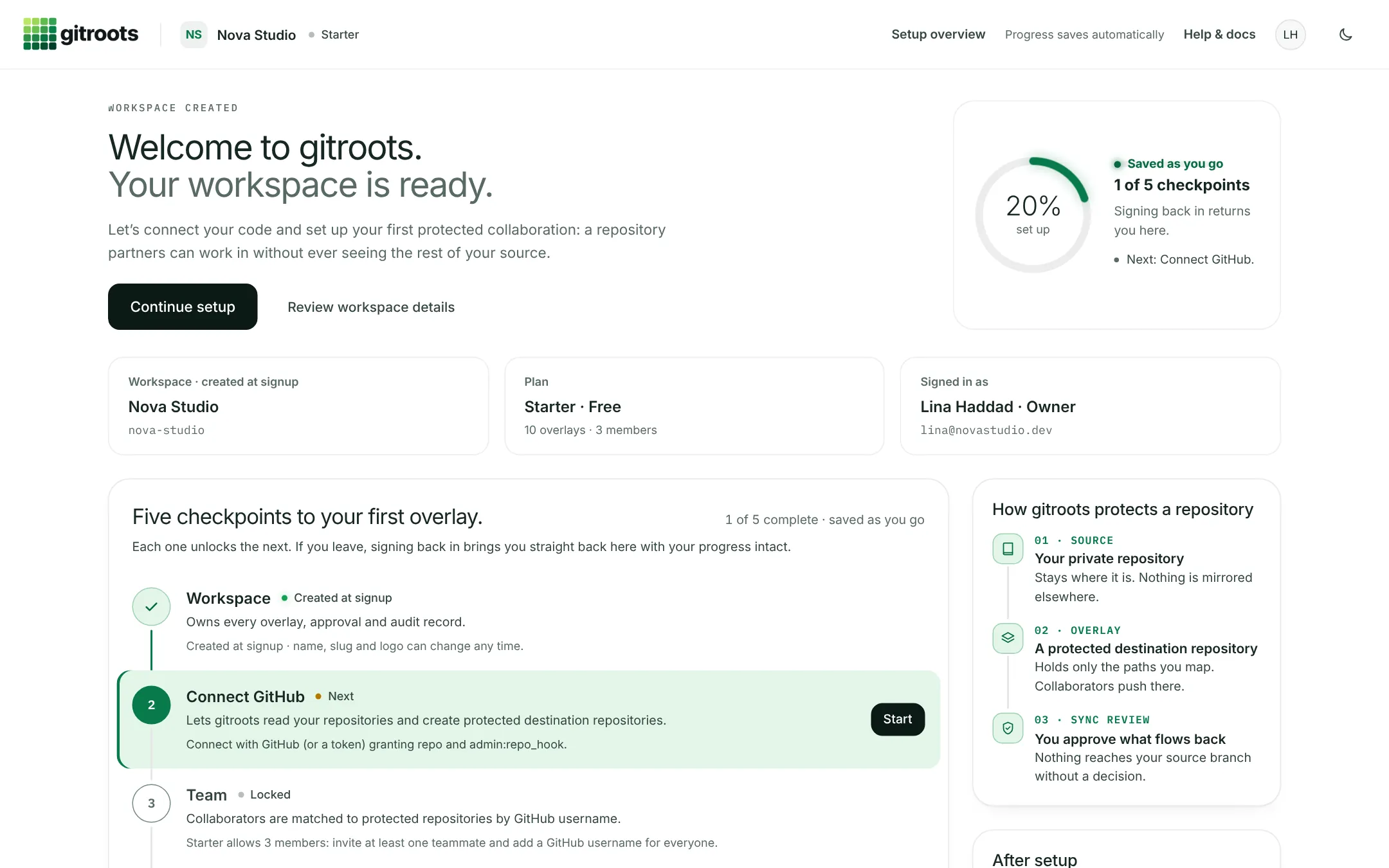
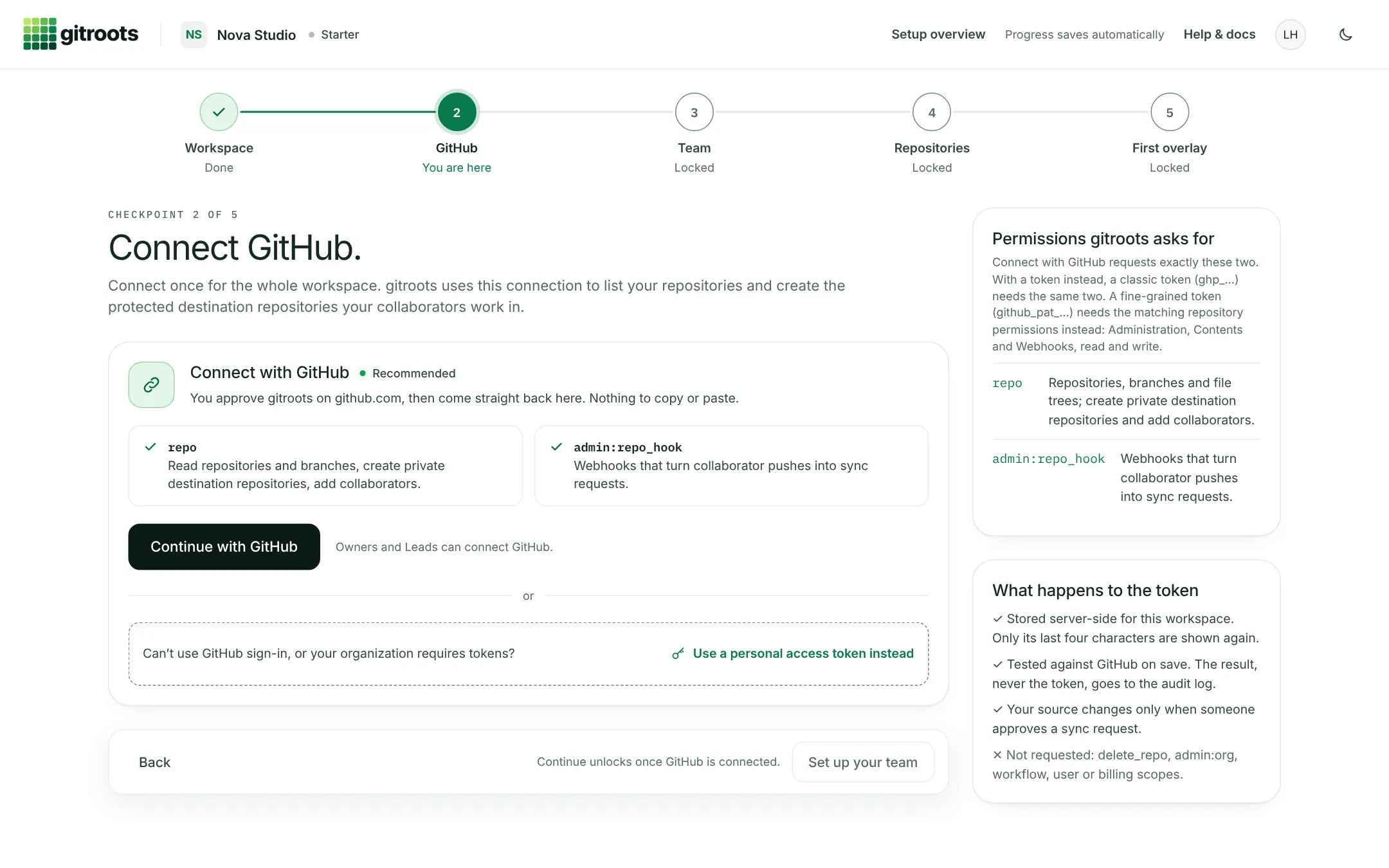
A guided setup that saves as you go. Most teams have their first overlay live in one sitting.
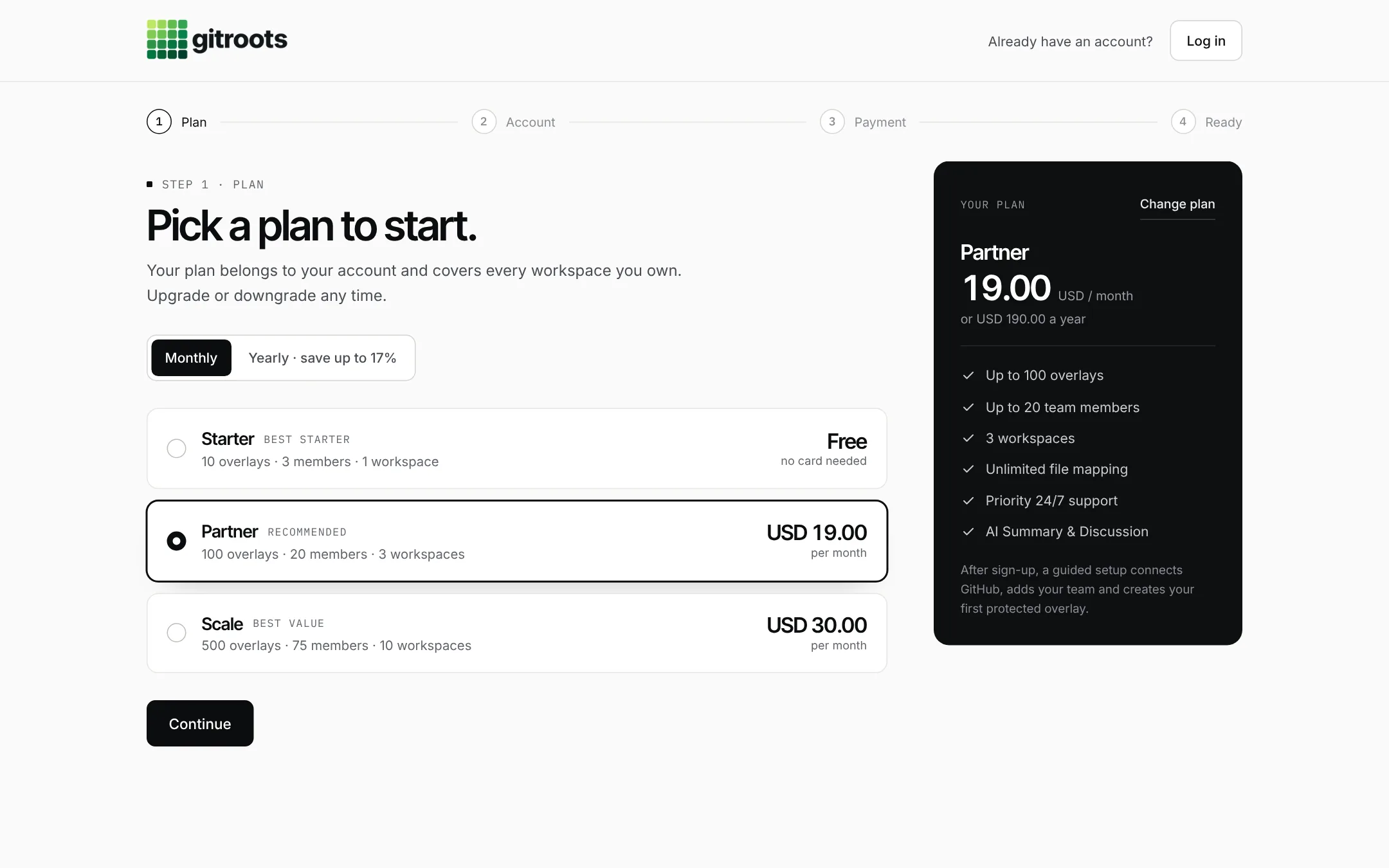
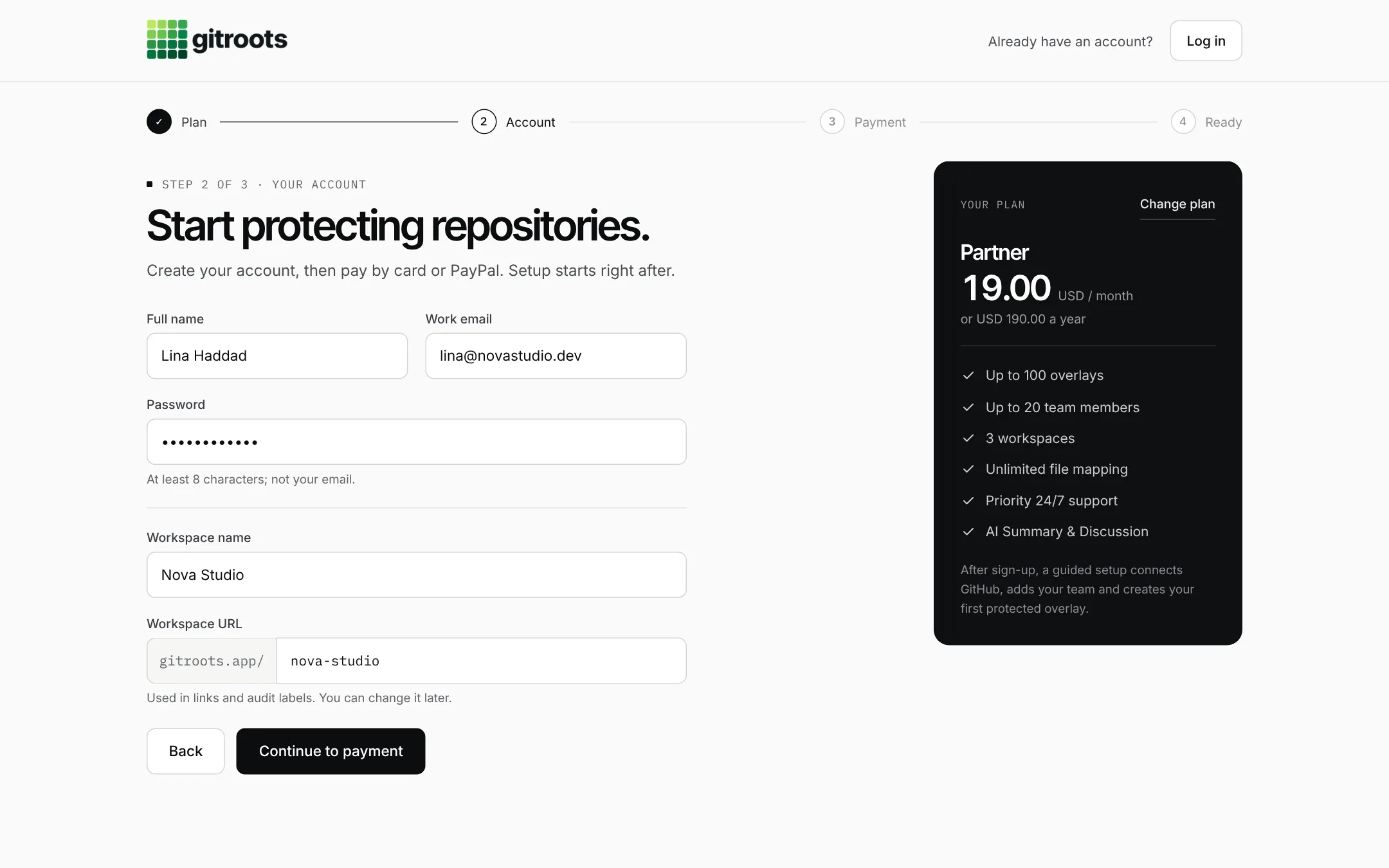
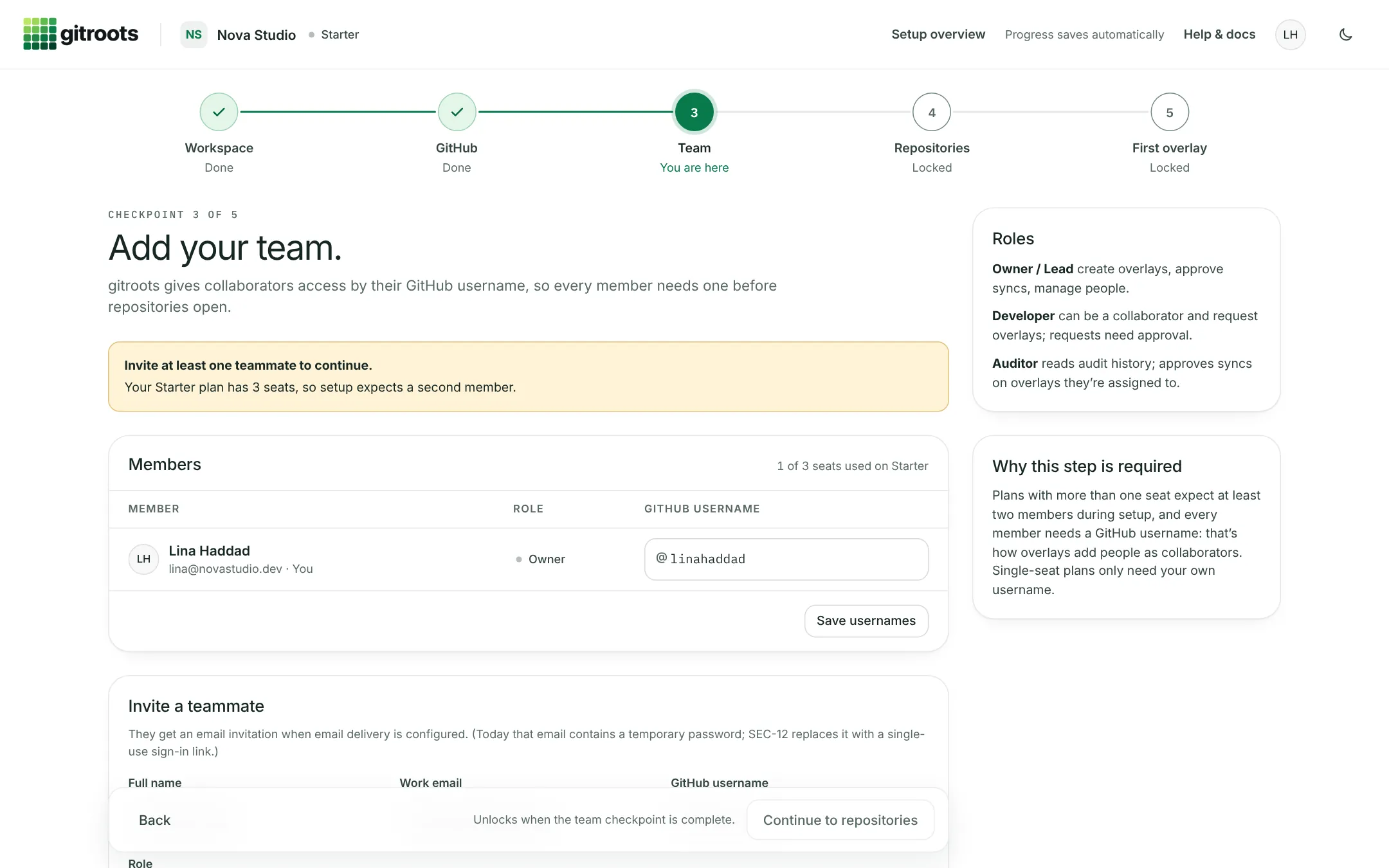
gitroots · Pick a plan Step 01 of 06
gitroots pricing: pick a plan to start gitroots sign-up form: create your account and workspace gitroots welcome screen: your workspace is ready gitroots setup: connect GitHub gitroots setup: add your team gitroots: your overlay is live
Pricing

Pick a plan. Start in minutes.

Your plan belongs to your account and covers every workspace you own. Pay by card or PayPal, then connect GitHub in a guided setup.

Starter

Best starter
Free
No card needed
Start free
  • Up to 10 overlays
  • Up to 3 team members
  • 1 workspace
  • Unlimited file mapping
  • 24/7 technical support
  • AI Feedbacker · limited access

Partner

Recommended
USD 19.00 / month
or USD 190.00 a year
Choose Partner
  • Up to 30 overlays
  • Up to 10 team members
  • 1 workspace
  • Unlimited file mapping
  • Priority 24/7 support
  • AI Summary & Discussion

Scale

Best value
USD 30.00 / month
or USD 300.00 a year
Choose Scale
  • Up to 40 overlays
  • Up to 40 team members
  • 1 workspace
  • Unlimited file mapping
  • Dedicated success manager
  • AI Summary & Discussion

Prices in USD · Upgrade, downgrade or cancel any time

gitroots

Code access should follow your organization's rules.

Not just your Git provider's permission model. Set up your first policy in minutes.

Start free Compare plans